|
|
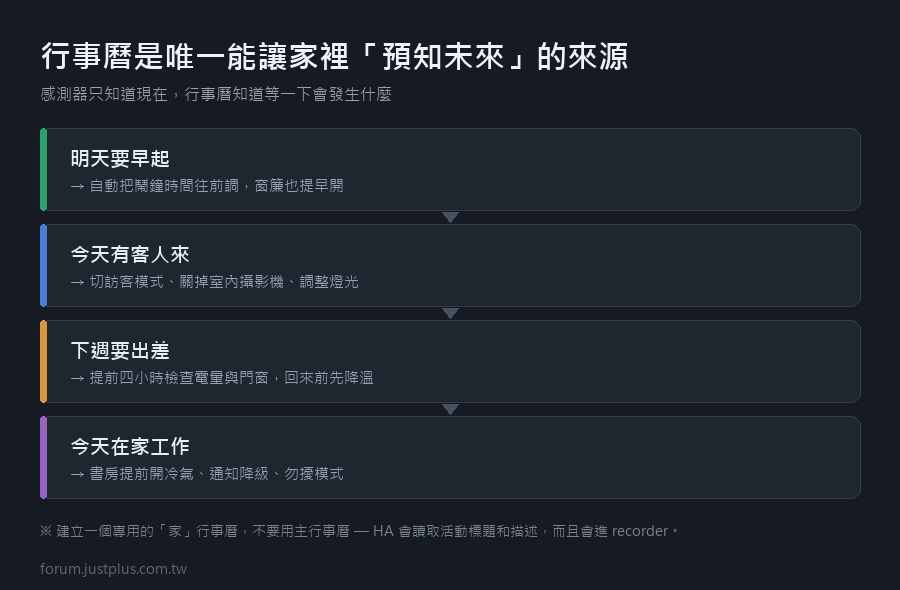
行事曆是一個被低估的觸發來源。
它知道你「明天要早起」「今天有客人來」「下週要出差」——
這些資訊沒有任何感測器抓得到。
先接進來
設定 → 裝置與服務 → 新增整合 → Google Calendar
設定步驟:
- 需要 Google Cloud 專案和 OAuth 憑證
- HA 的文件有詳細步驟(大概十分鐘)
- 授權之後會問你要匯入哪些行事曆
重點:建立專用的行事曆
不要用你的主行事曆當觸發來源。
理由:
- 主行事曆有一堆不相關的活動
- 會員工作行程混在一起
- 隱私(HA 會讀取活動標題)
在 Google 行事曆裡新建一個叫「家」的行事曆,
專門放要觸發自動化的事件。
觸發器怎麼寫
HA 的行事曆觸發器有兩種:
- triggers:
- # 活動開始時
- - trigger: calendar
- entity_id: calendar.家
- event: start
- offset: "-00:30:00" # 提前 30 分鐘
- # 活動結束時
- - trigger: calendar
- entity_id: calendar.家
- event: end
- offset: "00:00:00"
offset 可以是負的(提前)或正的(延後)。
用活動標題分流
一個行事曆可以放各種事件,用標題來分:
- alias: 行事曆自動化總處理
- id: calendar_dispatcher
- triggers:
- - trigger: calendar
- entity_id: calendar.家
- event: start
- id: 開始
- - trigger: calendar
- entity_id: calendar.家
- event: end
- id: 結束
- actions:
- - variables:
- 標題: "{{ trigger.calendar_event.summary }}"
- 描述: "{{ trigger.calendar_event.description | default('') }}"
- - choose:
- # --- 有客人來 ---
- - conditions:
- - condition: trigger
- id: 開始
- - "{{ '客人' in 標題 or '訪客' in 標題 }}"
- sequence:
- - action: scene.turn_on
- target: {entity_id: scene.訪客模式}
- - action: camera.turn_off
- target: {entity_id: camera.客廳} # 隱私
- - action: script.smart_announce
- data:
- area: all
- message: 訪客模式已啟動
- # --- 出差 / 旅行 ---
- - conditions:
- - condition: trigger
- id: 開始
- - "{{ '出差' in 標題 or '旅行' in 標題 }}"
- sequence:
- - action: input_select.select_option
- target: {entity_id: input_select.house_mode}
- data: {option: 度假}
- - conditions:
- - condition: trigger
- id: 結束
- - "{{ '出差' in 標題 or '旅行' in 標題 }}"
- sequence:
- - action: input_select.select_option
- target: {entity_id: input_select.house_mode}
- data: {option: 在家-日間}
- - action: climate.set_temperature
- target: {entity_id: climate.主臥}
- data: {temperature: 26, hvac_mode: cool} # 提前降溫
- # --- 早班(提前 30 分鐘觸發) ---
- - conditions:
- - condition: trigger
- id: 開始
- - "{{ '早班' in 標題 }}"
- sequence:
- - action: input_datetime.set_datetime
- target: {entity_id: input_datetime.鬧鐘時間}
- data:
- time: >
- {{ (trigger.calendar_event.start | as_datetime
- - timedelta(hours=1, minutes=30)).strftime('%H:%M:%S') }}
- mode: queued
- max: 5
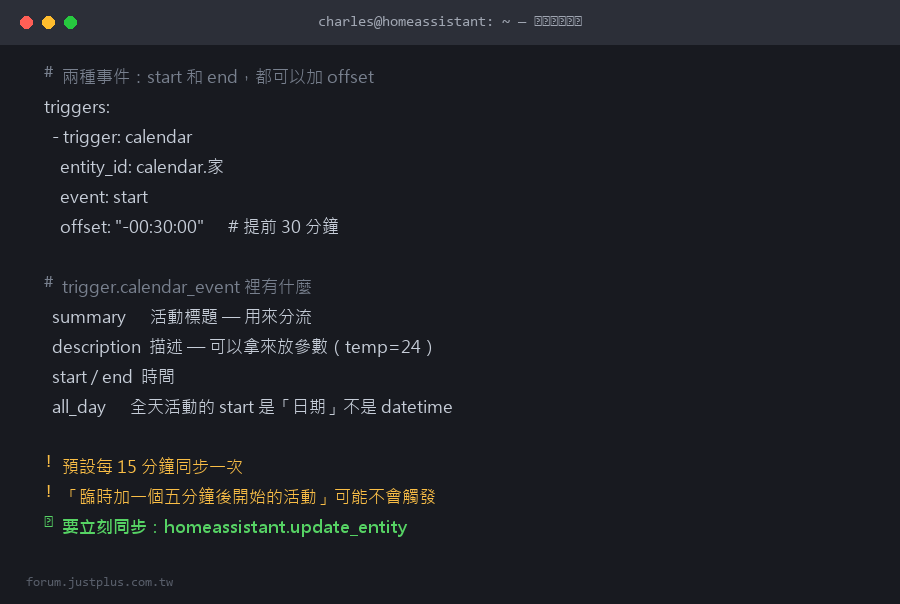
trigger.calendar_event 裡有什麼
- {
- "summary": "客人來訪",
- "description": "王先生一家",
- "start": "2026-09-25T18:00:00+08:00",
- "end": "2026-09-25T21:00:00+08:00",
- "location": "家",
- "all_day": false
- }
description 可以拿來放參數,這是一個好用的技巧:
- # 行事曆活動的描述欄位填:
- temp=24
- lights=warm
- # 自動化裡解析
- - variables:
- 設定: >
- {% set d = trigger.calendar_event.description | default('') %}
- {% set result = namespace(dict={}) %}
- {% for line in d.split('\n') %}
- {% if '=' in line %}
- {% set k, v = line.split('=', 1) %}
- {% set result.dict = dict(result.dict, **{k.strip(): v.strip()}) %}
- {% endif %}
- {% endfor %}
- {{ result.dict }}
- - action: climate.set_temperature
- target: {entity_id: climate.客廳}
- data:
- temperature: "{{ 設定.temp | default(26) | int }}"
不用觸發器,直接查詢行事曆
有時候你不是要「活動開始時做事」,
而是要「判斷今天有沒有某個活動」。
行事曆實體的狀態:
- on —— 現在正在某個活動中
- off —— 現在沒有活動
屬性裡有:message、start_time、end_time、description、all_day。
- conditions:
- - condition: state
- entity_id: calendar.家
- state: "on"
- - condition: template
- value_template: >
- {{ '在家工作' in state_attr('calendar.家', 'message') }}
查詢未來的活動(用服務)
- - action: calendar.get_events
- target:
- entity_id: calendar.家
- data:
- start_date_time: "{{ today_at('00:00') }}"
- end_date_time: "{{ today_at('00:00') + timedelta(days=1) }}"
- response_variable: 今日活動
- - action: notify.mobile_app_charles
- data:
- title: 今天的行程
- message: >
- {% set evs = 今日活動['calendar.家'].events %}
- {% if evs | count == 0 %}
- 今天沒有安排
- {% else %}
- {% for e in evs %}
- {{ e.start[11:16] }} {{ e.summary }}
- {% endfor %}
- {% endif %}
response_variable 是比較新的功能,
讓服務可以回傳資料給後續步驟用。
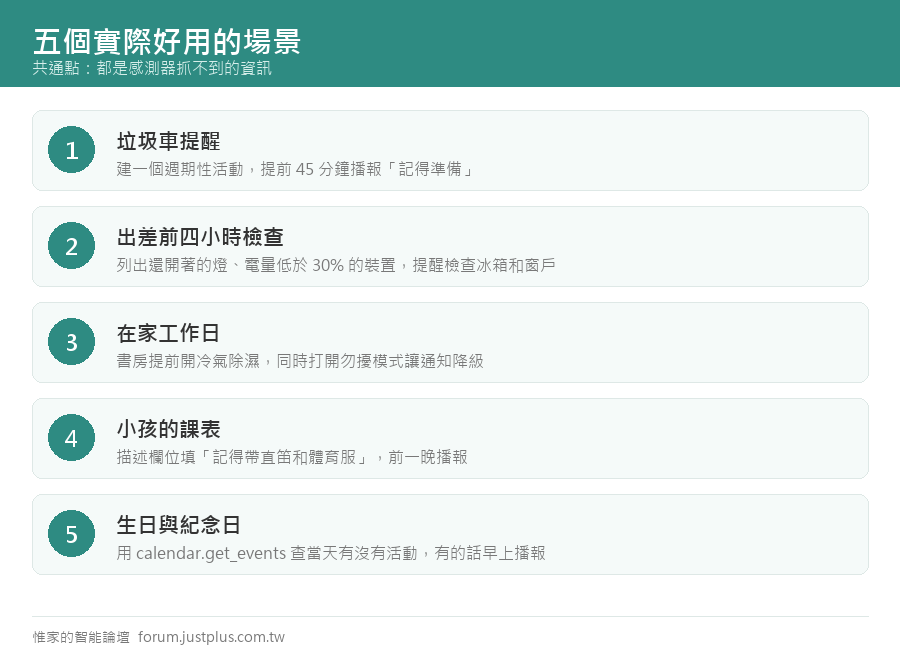
五個實際好用的場景
1. 垃圾車提醒
在行事曆建一個週期性活動「倒垃圾」。
- triggers:
- - trigger: calendar
- entity_id: calendar.家
- event: start
- offset: "-00:45:00"
- conditions:
- - "{{ '垃圾' in trigger.calendar_event.summary }}"
- actions:
- - action: script.smart_announce
- data:
- area: occupied
- message: 四十五分鐘後垃圾車會來,記得準備
2. 出差前的檢查
- triggers:
- - trigger: calendar
- entity_id: calendar.家
- event: start
- offset: "-04:00:00" # 提前四小時
- conditions:
- - "{{ '出差' in trigger.calendar_event.summary }}"
- actions:
- - action: notify.mobile_app_charles
- data:
- title: 出差前檢查
- message: >
- {% set problems = [] %}
- {% if states.light | selectattr('state','eq','on') | list | count > 0 %}
- 有燈沒關。
- {% endif %}
- {% set low = states.sensor
- | selectattr('attributes.device_class','defined')
- | selectattr('attributes.device_class','eq','battery')
- | map(attribute='state') | map('int',100)
- | select('lt', 30) | list | count %}
- {% if low > 0 %}
- 有 {{ low }} 個裝置電量低於 30%,建議先換電池。
- {% endif %}
- 記得檢查冰箱、關窗、設定度假模式。
3. 在家工作日
- conditions:
- - "{{ '在家工作' in trigger.calendar_event.summary }}"
- actions:
- # 書房提前開冷氣和除濕
- - action: climate.set_temperature
- target: {entity_id: climate.書房}
- data: {temperature: 26, hvac_mode: cool}
- # 通知降級(工作時不要一直被打斷)
- - action: input_boolean.turn_on
- target: {entity_id: input_boolean.勿擾模式}
4. 小孩的課表
把課表放進行事曆,做「提醒帶什麼」:
- message: >
- 明天 {{ trigger.calendar_event.summary }},
- {{ trigger.calendar_event.description }}
描述欄位填「記得帶直笛和體育服」。
5. 生日和紀念日
- triggers:
- - trigger: time
- at: "08:00:00"
- actions:
- - action: calendar.get_events
- target: {entity_id: calendar.紀念日}
- data:
- start_date_time: "{{ today_at('00:00') }}"
- end_date_time: "{{ today_at('00:00') + timedelta(days=1) }}"
- response_variable: 今日
- - condition: "{{ 今日['calendar.紀念日'].events | count > 0 }}"
- - action: script.smart_announce
- data:
- area: all
- message: >
- 今天是{{ 今日['calendar.紀念日'].events[0].summary }}
注意事項
1. 同步延遲
Google Calendar 整合預設每 15 分鐘同步一次。
所以「臨時加一個五分鐘後開始的活動」可能不會觸發。
要立刻同步的話:
- - action: homeassistant.update_entity
- target:
- entity_id: calendar.家
2. 全天活動的時間
全天活動的 start 是 日期(沒有時間),
而不是 datetime。處理的時候要注意。
- {% if trigger.calendar_event.all_day %}
- # 全天活動,start 是 "2026-09-25"
- {% else %}
- # 一般活動,start 是 "2026-09-25T18:00:00+08:00"
- {% endif %}
3. 隱私
- HA 會讀取活動標題和描述
- 這些資料會進 recorder
- 不要把敏感內容放在觸發用的行事曆
4. 本地行事曆的替代方案
不想用 Google 的話,HA 有內建的本地行事曆:
設定 → 裝置與服務 → 新增整合 → Local Calendar
完全本地、不用授權、不用網路。
缺點是只能在 HA 裡編輯(不能用手機的行事曆 App)。
我的做法是兩個都用:
週期性的固定事項(倒垃圾、換濾網)放本地行事曆,
需要隨時在手機上改的放 Google。
---
行事曆觸發的價值在於:它是唯一能讓家裡「預知未來」的來源。
感測器只知道「現在」,行事曆知道「等一下會發生什麼」。
用得好的話,可以做出「你還沒回到家,冷氣已經先開好」
這種真的很有感的自動化。 |
|




 窺視卡
窺視卡 雷達卡
雷達卡


 發表於
發表於  提升卡
提升卡 置頂卡
置頂卡 沉默卡
沉默卡 喧囂卡
喧囂卡 變色卡
變色卡 千斤頂
千斤頂 照妖鏡
照妖鏡